Wednesday, June 25, 2014

Workin' On It Wednesday: Organizing Math Centers


This week I've been working on getting math centers ready for next year. 
Can I just say Krista Wallden's clip art is SO STINKIN' CUTE!! I used all of her work for these centers and as far as I'm concerned that girl can't draw fast enough! I've been buying up her Creative Clips art like it was candy.
Just look this:


STINKIN' CUTE! Boy, I wish I could draw like that.

So back to the organizing. I bought these three-pocket sheet protectors. Can you see how it works? There is a pocket in the back for full pages (the recording sheet and answer key) and two smaller pockets in the front (the center pieces). I'm going to put all the pages in a notebook so I can have the centers ready for small groups or quick review with a little darling.


Back to my laminating and cutting!


If you're a nosey rosy and you want to see what other people are working on this week, visit Kindergals. Kim's got a linky just for you.
Follow on Bloglovin

Tuesday, June 24, 2014

Two for Tuesday Bloglovin' Sign up

Smart teachers, welcome to Two on Tuesday!
Here's how it works:
1. Follow Smart Kids on Bloglovin'.
2. Invite a friend to follow on Bloglovin.
3. Go up to "contact me" and email me your name and the new follower's name.
4. When I confirm that your friend has been added to the blog list, I'll send you...

5. Then you can share it with your friend.


This offer is good for one friend on Tuesday, June 24, 2014. 
GO!
Follow on Bloglovin

Thursday, June 19, 2014

Georgia Bloggers: Peachy Teaching Ideas and Fresh Freebies


It's time to teach the country about yes ma'am and ya'll.
Down here in Georgia, we talk with a drawl.
We're bringing you some freebies as sweet as our tea.
Enter our contest, you might get some things free!

Thirteen years ago my husband moved our little family down here to Macon, Georgia. I was surprised by all of the pink bows on doors and mailboxes. Then I found out that Macon is the home of the International Cherry Blossom Festival.

It's also a town rich with civil war, African-American and Native-American history.


This weekend, we've paused from our peach picking to give you a taste of Georgia. Twenty-five teachers invite you to take a road trip through our southern state. Hop through our blogs to get freebies.
                                          

You can pick up mine just by clicking here.


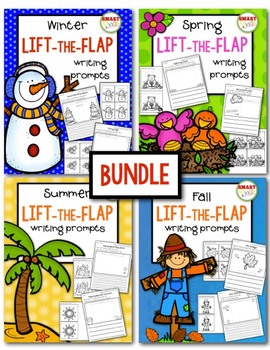
This freebie is a sample of my popular Lift-the-Flap writing prompts series. I just bundled the holiday set to make it easier for everyone. You can get it this weekend for $5. 

We'd also like to give you a chance to win a bushel basket full of our products. To enter from my page, you just need to follow on Bloglovin'. You can enter once from each person's blog!


a Rafflecopter giveaway


a Rafflecopter giveaway


Goodness gracious, what are you waiting for sugar?! Time's a wastin'. Go get more free stuff and sign up to win!


Follow on Bloglovin

Wednesday, June 18, 2014

Guest Post from The Primary Gal! Differentiate Independent Work Time


Hello!  It's Amanda Wilp from The Primary Gal!  In March, I was honored to have Jayne guest blog with me in my Sharin' Strengths Series.  She wrote a fabulous post that my followers LOVED.  Now, it's my turn to return the favor.  Ugh!  I have big shoes to fill.  :)

This summer, I have been planning away due to a big change from teaching special education in all elementary grade levels to teaching fifth grade, general education.  While teaching special education, I had developed a fabulous system where I could meet the needs of all students in grades Kindergarten to Fifth Grade with the use of what I called a "Bubble Sheet."  With moving from the special education setting, where I used this in strictly reading, I had to find a way to use this in general education math.  As I worked my way through this, I decided that this is something that could take differentiation to the max in any classroom.


Differentiation is something that is a passion of mine and something I feel is a great strength in my daily routines.  Maybe it's the special education teacher in me, but I believe that you have to meet students where they are, not necessarily where we want them to be.  So I introduce to you, the Bubble Page!


What is a Bubble Page:
A Bubble Page is a list of tasks which remain the same throughout the entire year.  These tasks are selected based on grade level standards, common weaknesses in students, and providing a spiral review for students throughout the entire year.  Bubble Pages are completed during independent work time as part of Guided Reading or Math.  During this time, students work to complete their fifteen tasks as I pull small groups.

Getting Started:
Select a set of daily activities that range in levels of difficulty.  For example, in my fifth grade general education room for Guided Math, I plan to use:
  *Math Fact Practice
  *Grade Level Computation
  *Grade Level Activities Based on Current Mathematical Topic
  *5th Grade Common Core Math Choice Boards {Bundle: All Standards}
  *"I Can" Common Core 5th Grade Math Games Bundle: Covers All Standards
  *Common Core Word Problem Bundled Set: Grade 4-5
  *Math Journal Prompts and Essential Questions

Determine Levels of Bubble Pages:
For this section, I try to organize my "Getting Started" list of least to most difficult.  For example, I would love for every student to be able to walk into fifth grade with all of their math facts mastered, but they don't.  I would also love for students to walk in a be able to subtract using regrouping, but they don't.  Some students need additional practice.  If I ignore this need, I am hurting my students.  On the flip side, other kids are able to memorize facts quickly and easily and do not need daily practice.  They need to spend their independent work time working on more challenging and enriching content.

I then develop three to four levels based on the needs of my students.  These bubble pages will allow each and every student to work at a level that is perfect for them.  In my opinion and experience, this has been extremely beneficial for allowing independent work time to actually be meaningful, not just busy work.

Assigning Bubble Page Levels:
In my classroom, my students never know that some bubble pages are more difficult than others.  However, they are always motivated to change bubble pages.  They love exploring new activities or being able to decrease the number of times that they complete one task in order to increase other tasks.  This is generally very motivating for students to work and do their best.  If they find themselves stuck on something, they are great about seeking out help in order to not be held back by their work.


For the first weeks of school, I have my students complete a "Practice" Bubble Page.  During this time, EVERYONE has the same Bubble Page.  This allows me to properly teach expectations and procedures, while mentally making notes about strengths and weaknesses for students.  I typically do not pull small groups and instead spend the time really making sure that everyone understands and can complete my expectations for each task.  As the school year progresses, I can see who needs moved to a different bubble page.

Generally, I use the following guidelines:

  *Finishing the fifteen tasks early in the week----->Move them to a more difficult bubble page.
  *Being unable to finish the fifteen tasks within the week----->Move to a less difficult bubble page.
  *While working hard throughout the week, seem to complete all tasks with ease-----> Stay on current bubble sheet.
  *Finishing the fifteen tasks, yet not being able to do them accurately, possibly due to rushing----->Depending on the student, I may discuss this issue with his/her parents or move to a less difficult bubble page.

Grading Bubble Pages:
Although each of these bubble pages have different tasks, they all include the same number of tasks.  For some reason, I have been stuck on the number fifteen.  Each student has fifteen tasks, all meeting them at their level, that they must complete in one week's time.  I like this number because that requires the students to complete three tasks on each of the five days of the week.  Generally, as long as students come into my room and get started right away, this is done with ease.

There are occasional kinks that must be considered when grading:
  *If we do not complete bubble pages due to schedule interruptions or tests, each student receives three points for that given day.  This number of points may vary depending on your total number of tasks.
  *If students are pulled to a small group for a particularly long period of time, I award them 1, 2, or 3 points depending on the amount of time in which they were in my group.  This sometimes comes when difficult skills are being discussed.
  *If a student has an excused absence, they are granted three points for that day.

Perks of Implementing Bubble Pages:
What I have grown to LOVE about using these bubble pages, is the flexibility on my part.  It allows me to be the teacher I want to be by:
  *Having good routines and procedures that are conducive to learning.
  *Allow me to pull small groups with ease.
  *Provides a continuous spiral review of critical skills for the grade level.
  *Allows for the use of technology if/when available.
  *Gives students choices in their on learning.
  *Enables learning to still take place when a substitute is in the room or interruptions occur.
  *Encourages students to learn time management and being responsible, independent learners.

Interested in the product?  Check it out by clicking the image below!  :)

post signature


Amazing post, Amanda! Thank you for sharing your hard work!

                                                             
Follow on Bloglovin

Friday, June 13, 2014

Guest Post from Meghan Harris: iPods and iPads Tips and Tools


What an honor to have been given this opportunity to write a post on Jayne's blog!  I'm so excited!  Thanks for having me!
I am a 10th year teacher from a small school system in Hart County Georgia.  I am currently an Intervention Specialist at my school, pulling out EIP students in grades Kindergarten through 3rd grade.   A huge part of my classroom is devoted to technology…specifically iPods and iPads!  I could totally be an Apple sales lady when I grow up :)  Today, I'm going to share with you a little of how I use iPods and iPads in my pull out classroom.
This is my docking/charging station in my classroom.  It is set up right next to my teacher station so that I can quickly charge, pass out, and pick up the devices during my 6 different pull out groups.  (To get a complete tour of my room click here.)

I currently have 15 iPod touch devices and 3 iPads for students to use daily in my room.  When I pull a group of 12-15 students at a time, the iPods/iPads keep the students who aren't directly with me for small group instruction quiet, engaged, and learning!

Here's another close up view… yep… it's a dish drying rack!  It holds all of the devices in perfect position, the small cup circles hold the chargers, and the utensil holder is perfect for styluses.  The small drawer next to it holds wipes, ear buds, etc.


All of my devices have backgrounds and lock screen with my name and the device's number so that students know which one they have and know exactly where to return it to.  This also works as a check out system for when students get to take them home.  YES, I might be crazy but I allow students to take the iPods home when they've done something amazing like learn all their sight words, count to 100, etc.  These were purchased from Amazon in used condition for $67 each.  So they are fairly cheap, great motivators and they have always been returned. :)


Here's a picture of how I send the iPods home with students in a little sleeve that we put into their homework folders.  I generally only send 4-5 home at a time so that I still have plenty for other groups the remainder of the school day.


For safety, I have all of the iPods and iPads locked from Safari, YouTube, adding/deleting apps, and other such sites.  This is very easy to do under the general settings of your devices.  You can easily add these features back when doing research or watching educational videos.  Even when the devices are taken home, I know that students are safe!!!  I suggest all classrooms that use these amazing tools to do this!


Now on to how I use iPods and iPads in my classroom!  I mainly use iPads for my small groups with me and the iPods for independent stations.

At the beginning of the year, we were using the styluses to practice our handwriting and fine motor skill using free apps for letter writing with my Kindergarteners.  First and second graders started with sight word apps.

Toward the end of the year, I added new apps to keep students engaged and challenged.  I was able to purchase a couple of libraries of books from the Read Me Stories app and loaded them on ALL of my devices!  This is amazing since most app purchases have a limit to the number of devices that you can load them on.  So all 15 iPods have two huge libraries of books to choose from.


If you have older generation devices click here for a search engine just for you!!!  It allows you to select your devices and find apps that are compatible.  It can be very frustrating when you are not able to find just what you are looking for.


Throughout the day, I pull anywhere from 15-30 small groups (6 periods and 3-5 groups in each period).  So it is important for me to find perfectly leveled materials for each differentiated group.  To best serve my students, I've found that using iPads at some point during my small group instruction has really enriched my teaching.  From QR codes to find answers, leveled readers with Hooked on Phonics or Reading A-Z, educational videos on YouTube, or just learning apps for sight words, my groups leave my table with a higher knowledge of content and more enthusiasm.
I use a ton of QR codes in all of my classes!!!  You can find a ton of QR activities in my TPT store.  One of my favorites are my QR Code Phonics Puzzles.  


I'm going to leave you with one additional tip that helps my iPad stations run smoothly and a freebie!  I've found that with tiny hands running devices, apps can suddenly be "accidentally" ended too soon and more "interesting" apps suddenly appear without being "clicked on."  Well teacher friends…there is a solution!!!  Let me share it with you…

Finally, as a HUGE thank you for Jayne for allowing me to be featured on her blog and to you for reading, I would like to offer you a free download of my iKnow My iPad Rules Posters.  


 I hope you have found some of these tricks, tips, and ramblings helpful for your classroom.  Please stop by my blog, TPT, Facebook page or Instagram so that you can Keep Up with Mrs. Harris.  I hope to hear from you soon!
                                            post signature

Thank you, Meghan, for packing this post with great information. I learned many new things and I know my Smart Kids readers will appreciate your tips! Be sure to leave Meghan some love in the comments!
Follow on Bloglovin